nanoCAD is a professional-grade CAD platform fully compatible with the industry’s DWG standard. It offers the standard user interface with a wide set of tools for 2D/3D drafting that can be extended with modules specific to the needs of professionals in engineering, architecture, and construction.
- Features
- Screenshots
- System Requirements
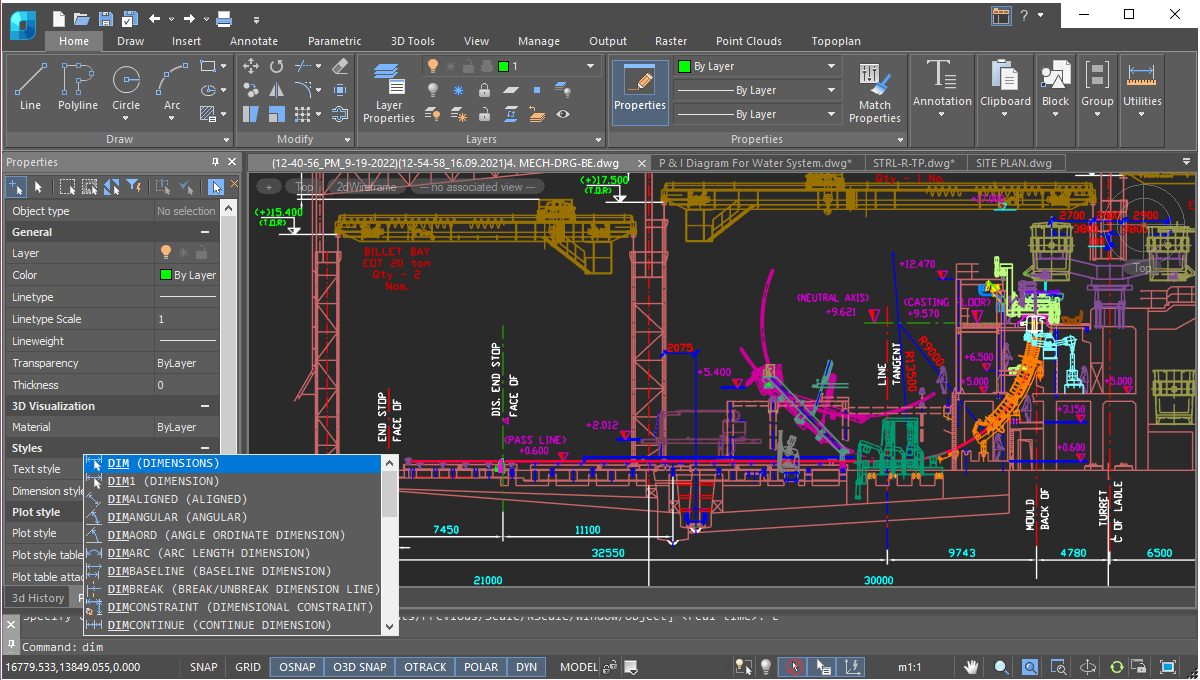
- Native DWG Compatibility: Opens, edits, and saves drawing projects natively in the industry-standard DWG layout without data loss, formatting corruptions, or external conversions.
- Advanced Parametric 3D Modeling: Constructs precise 3D solid and surface geometry models seamlessly linked to parent parameters, enabling instant global updates when editing raw data dimensions.
- Dynamic Blocks & Constraints Management: Apply geometric and dimensional constraints directly onto vector drawings to automate structural layouts and design variations.
- Point Cloud & 3D Scan Ingestion: Handles massive point cloud datasets smoothly from 3D laser scanners, allowing architects to easily vectorize physical terrains and existing structural foundations.
- Comprehensive Sheet Set Manager: Organizes and controls multi-page construction documentation sets, drawing layouts, title blocks, and plot schedules from a centralized navigation pane.
- Open Developer API Platform: Includes comprehensive support for custom extensions, macros, and scripts written in LISP, C++, .NET, and Python to seamlessly automate repetitive drafting pipelines.
- OS: Microsoft® Windows® 11/Microsoft® Windows® 10 (64-bit)/Microsoft Windows 8.1 (64-bit).
- CPU: Minimum requirements: 2 GHz./Recommended: 3 GHz or higher.
- Memory: Minimum requirements: 4 GB./Recommended: 16 GB and more.
- GPU: Minimum requirements: graphics processor with 1 GB video memory. Recommended: graphics processor with 4 GB video memory (supports OpenGL 2.1 or DirectX 11).
- Languages Support: English/German/French/Korean/Spanish