
Stardock DeskScapes 2026 is the ultimate desktop personalization utility designed to turn your static Windows 11 background into a vibrant, high-performance canvas of animated art. Windows natively restricts users to rigid, motionless desktop backgrounds, which can make your workspace feel dull over time. DeskScapes 2026 shatters this limitation by empowering you to seamlessly apply, manage, and animate your desktop with stunning live loops, custom video files, and interactive background layers.
- Video
- Features
- Screenshots
- Whats new?
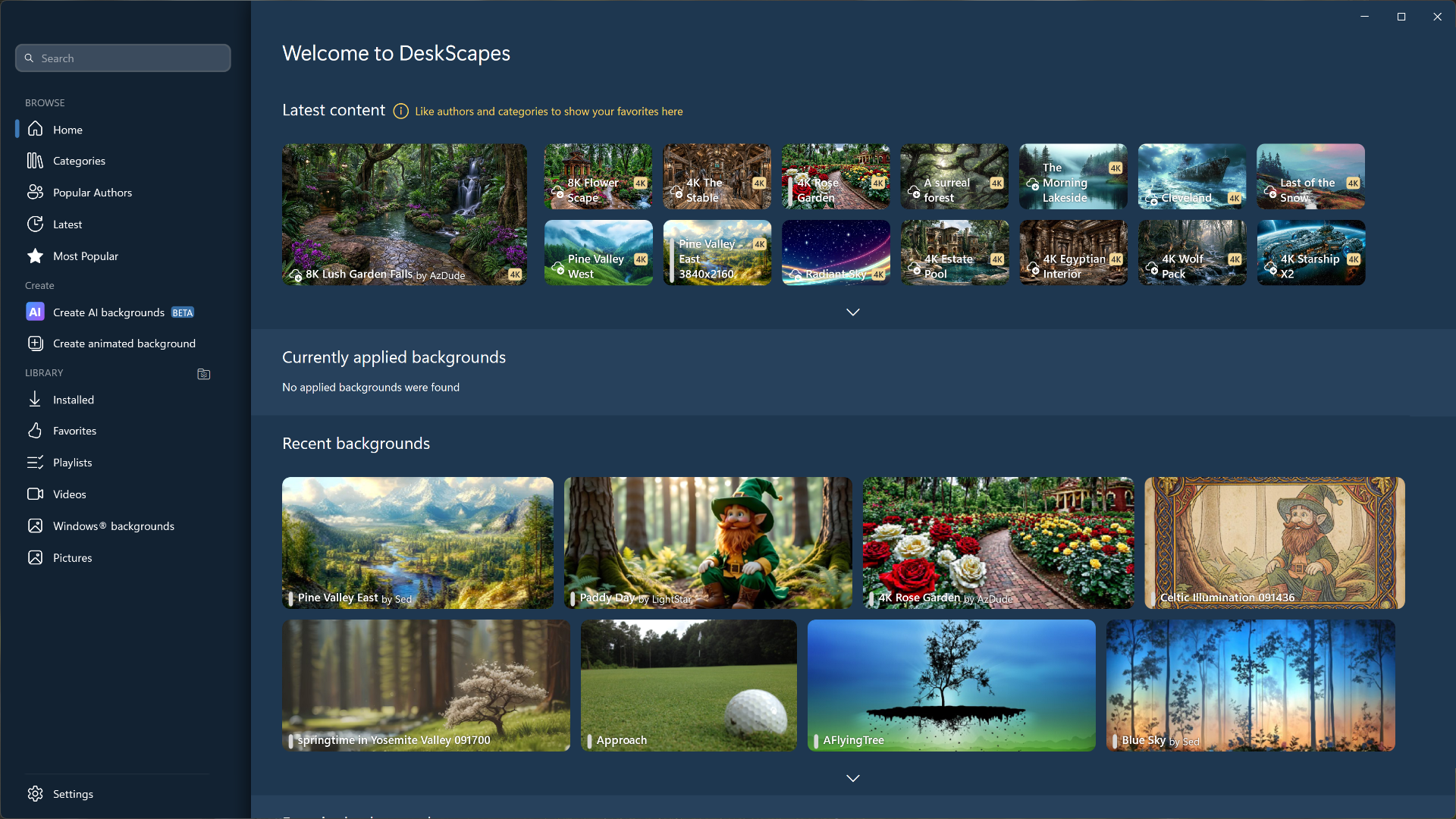
- Local AI Wallpaper Generation: Create entirely unique, high-resolution desktop backgrounds directly on your machine using local AI models that leverage your native GPU power without cloud fees or token limits.
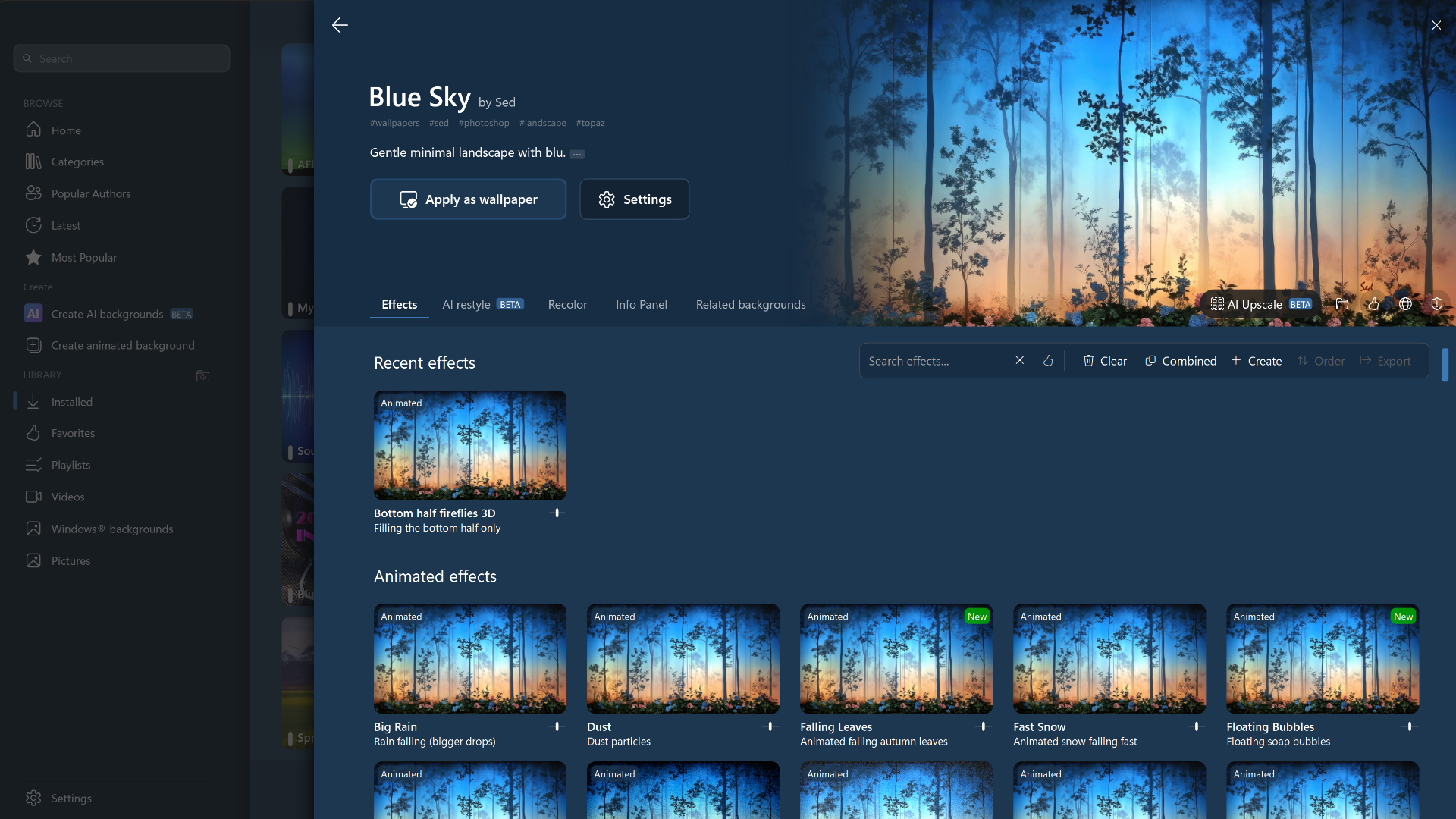
- Intelligent AI Restyle Engine: Rehearse and transform any existing image or downloaded wallpaper in your collection by instantly applying dozens of complex local artistic filters and stylistic overhauls.
- Hardware-Accelerated 4K Upscaling: Bring lower-resolution web images up to pristine desktop quality standards by utilizing on-device hardware upscaling tools before setting them as your background.
- Hybrid Dream Engine: Build, customize, and deploy your own multi-layered animated desktop backdrops, combining custom video clips and personal photos into highly reactive live scenes.
- Massive Visual Effects Library: Choose from over 120 dynamic special effects, color filters, granular textures, and global blurring profiles to completely adjust the mood of your desktop workspace.
- Multi-Monitor Playlists & Rules: Take full control over advanced multi-screen layouts by assigning independent animated backgrounds to specific displays or spanning a single seamless Dream across your entire setup.


- Release notes were unavailable when this listing was updated.




yes its working have downloaded from curtins web page thank you much appericated
update the patch appears to work on curtins
hi just in the patch software stalled it does work and conects and u an download more deskscapes the ptch is suposed to work on outher statdock software have not tried it on as yet the way i got it to work was to install let it do its thing when i cam for the registration just ingnored it then turned it of in task manager copyed and past patch into program let it do it thing re booted the it worked ok for me will try later to see if it workes on cutrins