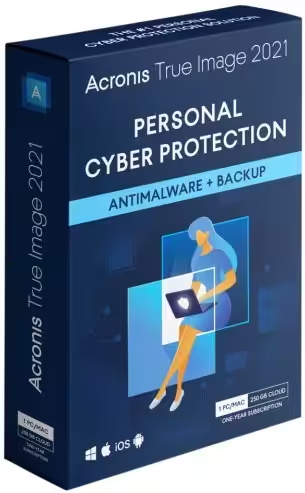
Acronis True Image offers the most dependable cyber protection available. Prepare for the unexpected with complete cybersecurity that is straightforward and reliable against data loss, cyberattacks, and identity theft.*
- Features
- Screenshots
- Whats new?
- Anywhere Access: Retrieve any file from your cloud backup, wherever you are, on any device. Manage backups remotely. Enjoy secure file sync and share.
- Innovative Protections: The only personal backup solution that uses AI to stop ransomware and cryptojacking in real time. Offers blockchain data notarization.
- Enhanced Vision: How we access and use data is constantly changing, as are the threats to that data. Your protection must evolve too. With 100+ enhancements and new features, Acronis True Image 2020 keeps you current.
- Automated Dual Protection: Back up locally while simultaneously replicating it in the cloud so you’ve always got a secure off-site copy for recovery.
- Tray Notification Center: Messages pushed to your desktop tray enable you to monitor the status of backups so you can quickly respond to any issues.
- Custom Power Management: Avoid draining your battery by efficiently managing laptop backups. Set a minimum power level or block backups on battery power.
- Back Up on Select Wi-Fi: Where you back up is your choice. Now you can easily avoid the metered connections and public networks that put data at risk.
- Improved Cloud Restores: Enjoy faster performance and a more intuitive experience. Enhanced for even easier navigatation.
- Efficient, All-in-one Protection: Using multiple solutions to protect your data? Then you’re paying more for a patchwork that creates gaps in your defense. Acronis True Image 2020 delivers the power of integration, with data protection, cybersecurity, and management features you control from a single intuitive dashboard.
- Versatile: Back up what you want, how you want with tools like mirror imaging, file/folder-level backups, active disk cloning, cloud-to-cloud Office 365 backups, event-based scheduling, non-stop backups, and automatic replication of local backups in the cloud.
- Flexible: Control where you store your data, whether it’s locally on an external hard drive, network folder or NAS device, off-site in the cloud, or a combination to ensure total protection. Approve specific Wi-Fi networks to avoid potential problems.
- Visual: Know everything about your backup at a glance. Monitor the status of backups with push notifications to your desktop tray. See file sizes, backup speeds, and color-coded displays of the type of data stored with our visual dashboard.
- Compatible: Safeguard your data regardless of where it lives with a solution that supports the latest versions of Windows, Mac, iOS and Android devices, as well as virtual machines. Our integrated anti-malware defense is 100% compatible with other anti-virus software.


- Bug fixes and other improvements
- I added an option to validate only the latest backup version to speed up the regular validation process.
- Versions of backups to Acronis Cloud can now be cleaned up from the Acronis True Image console.
- Web filtering protects you from malicious websites.




wont load from mega. error