

AutoCAD LT 2026 is designed to develop and detail 2D drawings. The program automates most of the stages of the project. A full set of 2D commands allows you to create drawings, modify them, and release working documentation for projects. The program provides built-in support for DWG format and reliability of work, and also contains powerful tools to improve drawing performance.
- Download Link
- Features
- Screenshots
- Whats new?
Drawing Tools
- Line, Polyline, Circle, Arc, Rectangle, Polygon – Basic 2D drafting tools.
- Spline & Ellipse – For smooth curves and complex shapes.
- Hatch & Gradient – Fills closed areas with patterns or colors.
- Revision Cloud – Highlights revised areas in a drawing.
Editing Tools
- Trim / Extend – Cut or lengthen objects to meet another.
- Move / Copy / Rotate / Mirror – Standard editing transformations.
- Scale – Resize objects proportionally.
- Array (Rectangular, Polar, Path) – Create multiple copies in patterns.
- Offset – Create parallel copies at a specified distance.
- Fillet / Chamfer – Round or bevel edges.
- Explode – Break compound objects into simple ones.
Layers & Properties
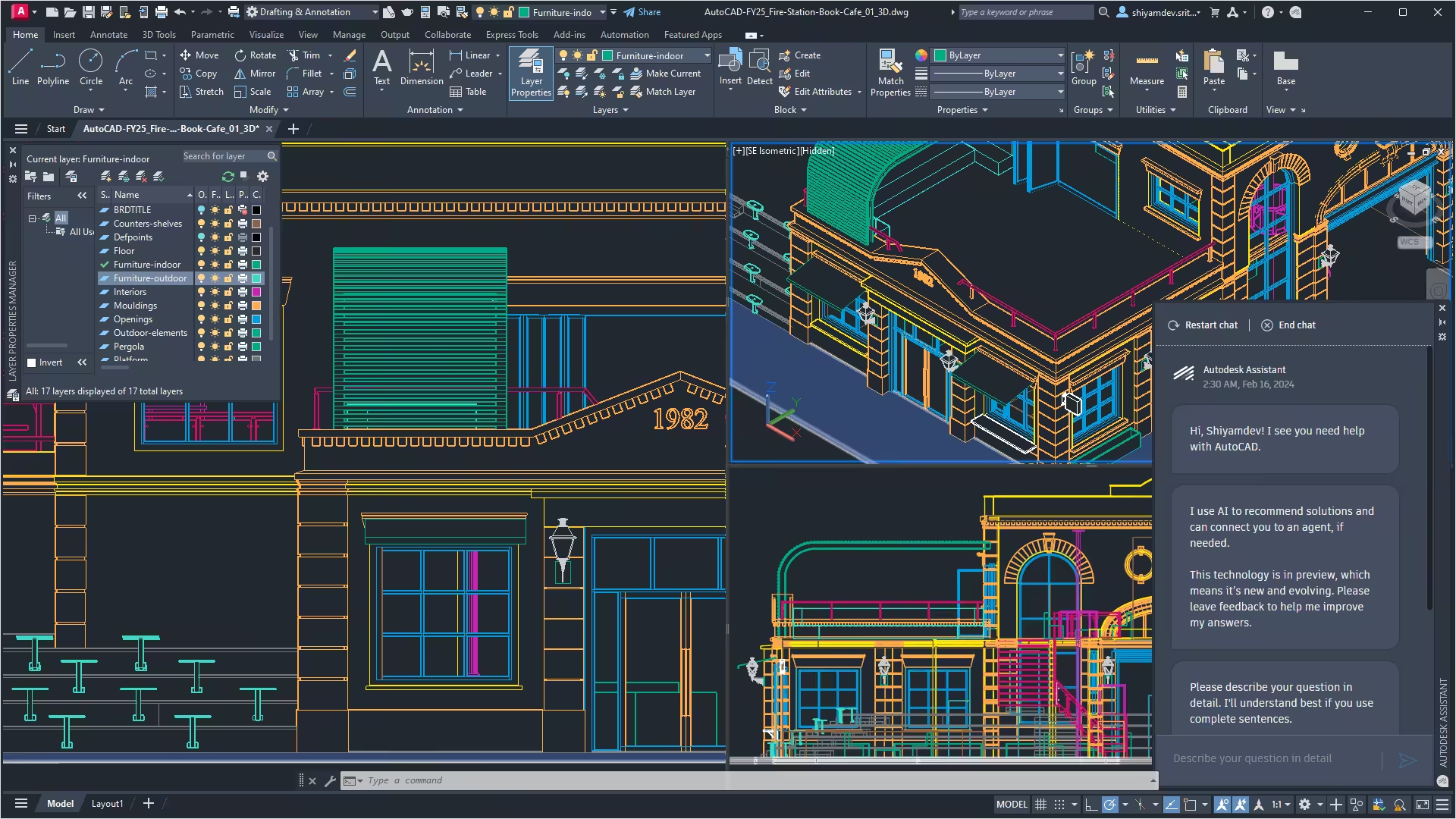
- Layer Manager – Organize drawing objects by categories (e.g., walls, doors).
- Layer States – Save and restore layer settings.
- Properties Control – Adjust color, line type, lineweight, and transparency.
- Match Properties – Copy properties from one object to another.
Blocks & References
- Block Creation – Store frequently used objects as reusable symbols.
- Dynamic Blocks – Flexible blocks with adjustable parameters (e.g., doors of different sizes).
- External References (Xrefs) – Attach external drawings (DWG, DWF, DGN, etc.).
- Design Center – Browse and import blocks, styles, and layouts from other files.
Precision Tools
- Object Snap (OSNAP) – Accurately snap to endpoints, midpoints, centers, intersections.
- Object Snap Tracking – Track points based on snap references.
- Ortho Mode – Restrict cursor to horizontal or vertical movement.
- Polar Tracking – Constrain drawing to specific angles.
- Coordinates Input – Absolute, Relative, and Polar coordinates for accuracy.
3D Modeling & Visualization
- Extrude – Extend 2D shapes into 3D solids.
- Revolve – Create solids by revolving profiles around an axis.
- Sweep – Extrude shapes along a defined path.
- Loft – Create solids between multiple profiles.
- Slice & Section Tools – Cut objects and create sectional views.
- Materials & Lighting – Apply realistic textures and lighting.
- Rendering – Produce photorealistic images of 3D models.
- 3D Navigation – ViewCube, SteeringWheels, Orbit tools for viewing models.
Text & Tables
- Single-line Text – Quick notes.
- Multiline Text (MText) – Paragraphs with formatting.
- Tables – Create spreadsheets inside drawings.
- Fields – Auto-updating text (e.g., date, filename, area).
Dimensions & Annotations
- Linear / Aligned / Angular / Radial / Diameter – Different measurement styles.
- Ordinate Dimensions – Show coordinates instead of distances.
- Baseline & Continued Dimensions – Sequential measurements.
- Multileaders – Leader lines with annotation.
- Annotative Scaling – Auto-scale text and dimensions across viewports.
Layouts & Printing
- Model Space – Main drawing environment.
- Paper Space (Layouts) – For plotting with title blocks and viewports.
- Viewports – Show different views/scales of the same model.
- Plotting/Printing – Output drawings to printers or PDFs.
- Plot Styles (CTB/STB) – Control line thickness, color, and style in prints.
File & Collaboration Support
- DWG (native), DXF, DWF – Core file formats.
- Import/Export – PDF, DGN, STEP, IGES, STL, OBJ, FBX.
- Shared Views – Share projects online for collaboration.
- Cloud Integration – Works with Autodesk Drive, OneDrive, Dropbox, Google Drive.
Customization & Automation
- Command Aliases – Customize keyboard shortcuts.
- Tool Palettes & Ribbon – Personalize frequently used tools.
- Macros & Scripts – Automate repetitive tasks.
- AutoLISP, VBA, .NET API – Advanced customization and automation.
Productivity Features
- Quick Access Toolbar – Easy access to common commands.
- Dynamic Input – Enter dimensions at cursor.
- Selection Cycling – Choose between overlapping objects.
- Quick Measure – Instant measurements by hovering.
- Properties Palette – Real-time object editing.
- File Open: Improved file open performance when opening a drawing that contains large numbers of annotation scales. Large numbers of annotation scales can occur when there are lots of drawing references that might pull in additional annotation scales.
- Pan and Zoom: General performance improvements when using pan and zoom commands.

I need Autocad 2026 crack download.for educational purposes.
autocad 2026 crack download